
5S for real workshops
Every tool in its own shadow.
Photograph the tools you already own. Systemax traces each one and builds custom boxes around their exact outlines — no CAD, no measuring session, no cutting foam by hand.
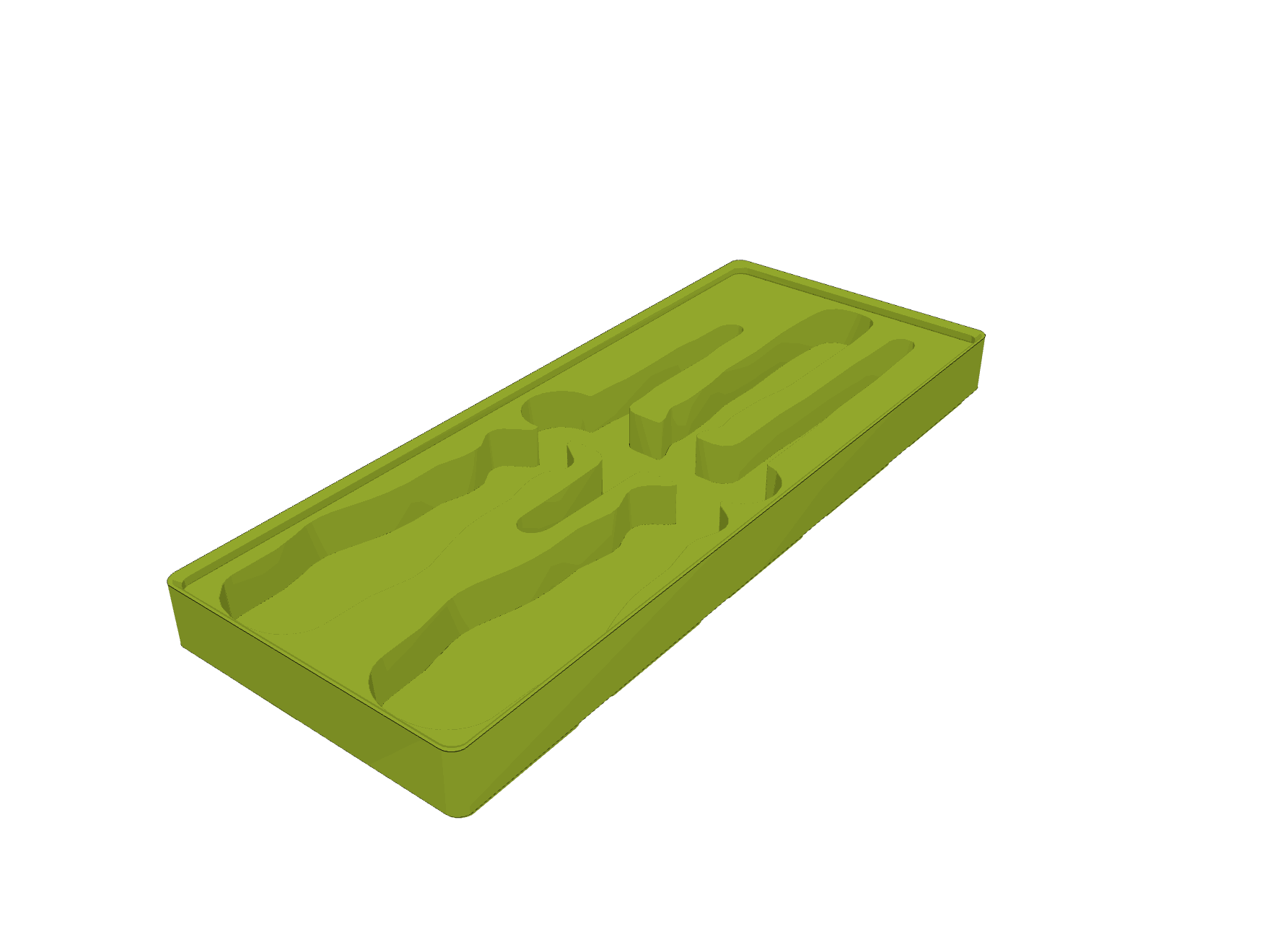
2×5 cells · 84 × 210 mm · 3UDrag to turn it
Turn it around — this is the real export, the same geometry the order is made from.
The second S
Set in order — and why almost no one gets there
The second S in 5S is set in order: a fixed place for everything. A shadow board is the sharpest version of that idea. A tool is either sitting in its own outline or it is visibly gone, and anyone can see which from across the room at the end of a shift.
Every shop that has tried it knows the catch. Getting there means measuring each tool and drawing it in CAD, or laying tools on foam and cutting around them with a knife. It takes a weekend, it comes out approximate, and it is out of date the moment the toolset changes.
Systemax removes that step. You photograph what you already own, the software does the drawing, and we produce the organizer and send it to you.
A shadow per tool
Traced from your own tools, not picked from a catalogue of generic trays.
Gridfinity, so it stays flexible
A 42 mm grid. Boxes lift out, swap between drawers, and travel to the job.
Change one tool, not the drawer
Swap a single box when the toolset moves on. The rest of the layout stands.
Three steps, all in the browser
No CAD, no measuring, and nothing installed — the whole thing runs in the browser.
- 01
Photograph your tools
Lay them out on a sheet of A4 and take one photo. The vision model finds every tool in the frame and traces its outline to scale.
- 02
Lay out the drawer
Drag the outlines onto a live 42 mm grid at your drawer's real size, draw boxes around them, and add finger holes, slots and your logo.
- 03
Approve and order
Check it in 3D, then order. Your boxes arrive as a kit that drops straight into the drawer, every tool in its own shadow.
See it done
The same three steps, in the real software
Two and a half minutes, recorded in a browser. Every screen is the one you get when you sign in — nothing here is a mock-up.
No narration yet — the captions carry it, so the video works with the sound off. Recorded in English.
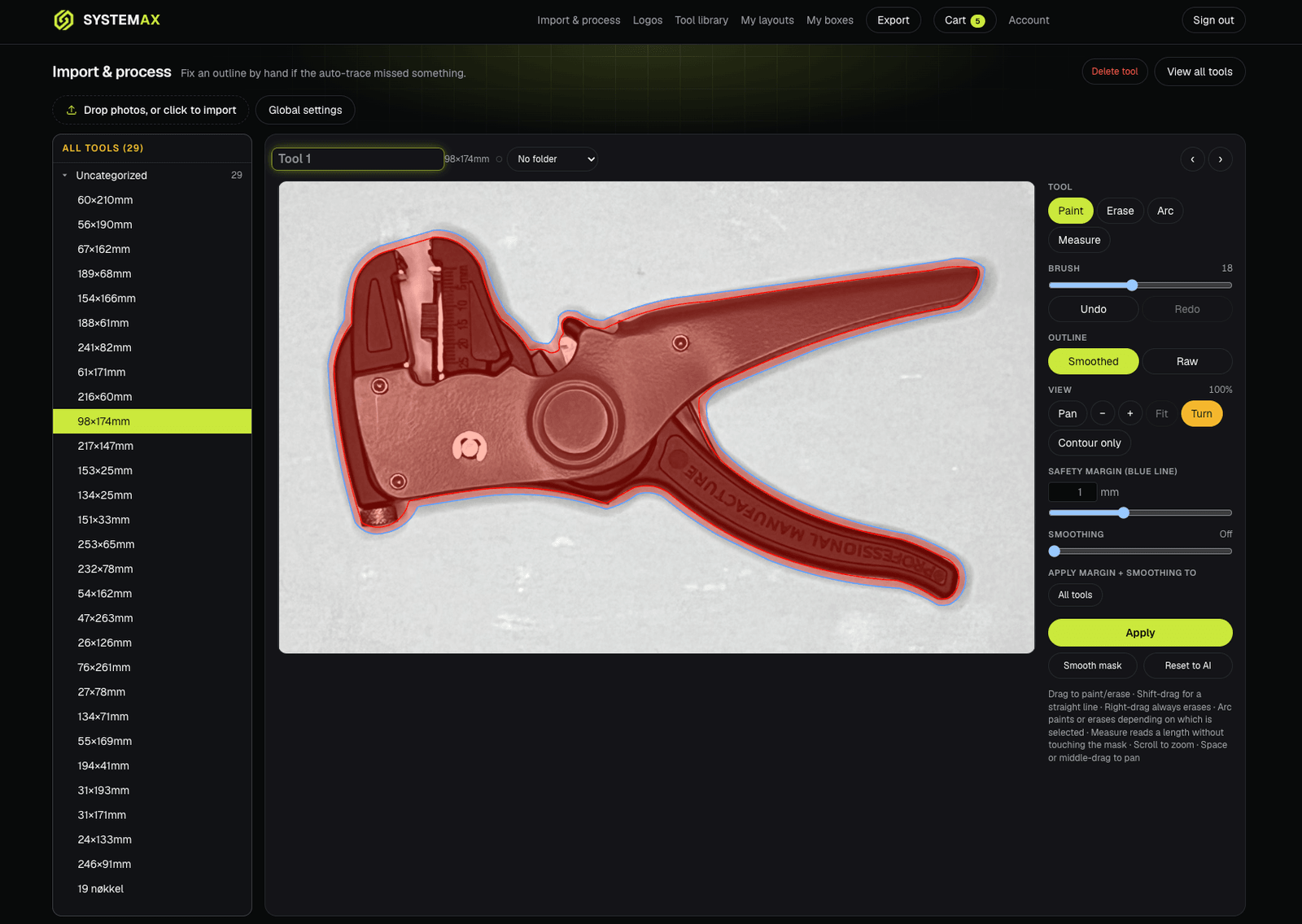
Import & process
From a photo to an exact outline
Upload one photo or twenty. Each tool comes back separated from the background and traced to scale, in millimetres — and if the trace misses something, you fix it by hand in the browser.
- Automatic tracingThe vision model finds the tool and returns a closed outline at true size. No calibration card, no measuring.
- Correct anything by handPaint, erase and arc brushes work straight over the original photo, with undo, redo and a one-click reset back to the AI trace.
- Raw or smoothedKeep the true edge or soften it, per tool, and see both before you decide.
- Safety marginAdd clearance so the tool lifts out easily. It is drawn live as a second outline before anything is committed.
- Measure as you goRead a length off the photo without touching the outline.
Tool library
A library, not a pile of files
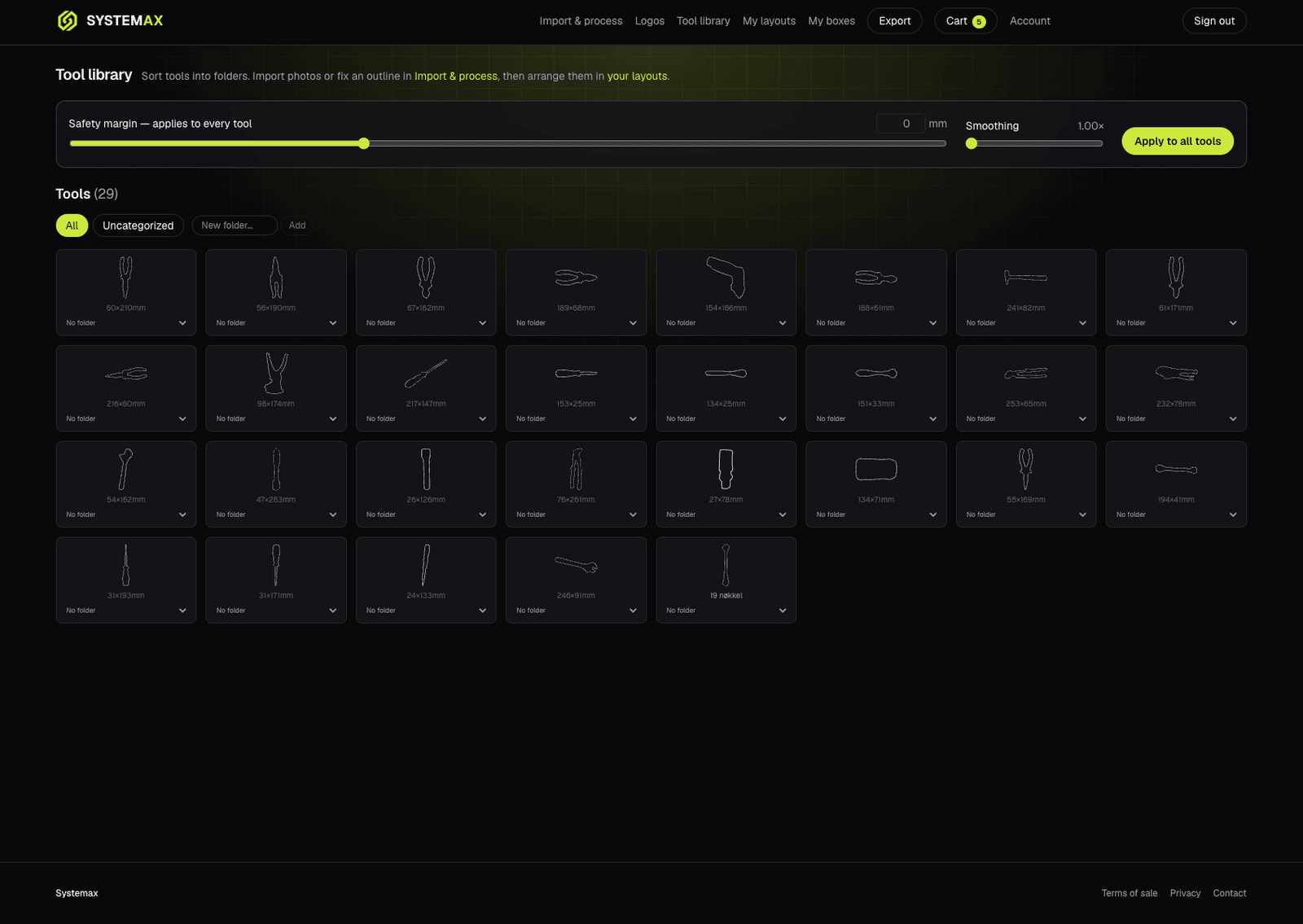
Every traced tool lands in your library with its real dimensions. Sort them into folders per drawer, per bay, or per technician, and reuse them across as many layouts as you like.
- Trace once, use foreverA tool traced for one drawer is available in every layout you build afterwards.
- Folders that match the shopGroup by bay, by van, by trade, or by whoever the kit belongs to.
- Set the rules onceChange the safety margin and smoothing at the top and apply it to every tool in the library in one go.
Layout planner
Plan the drawer, not the parts
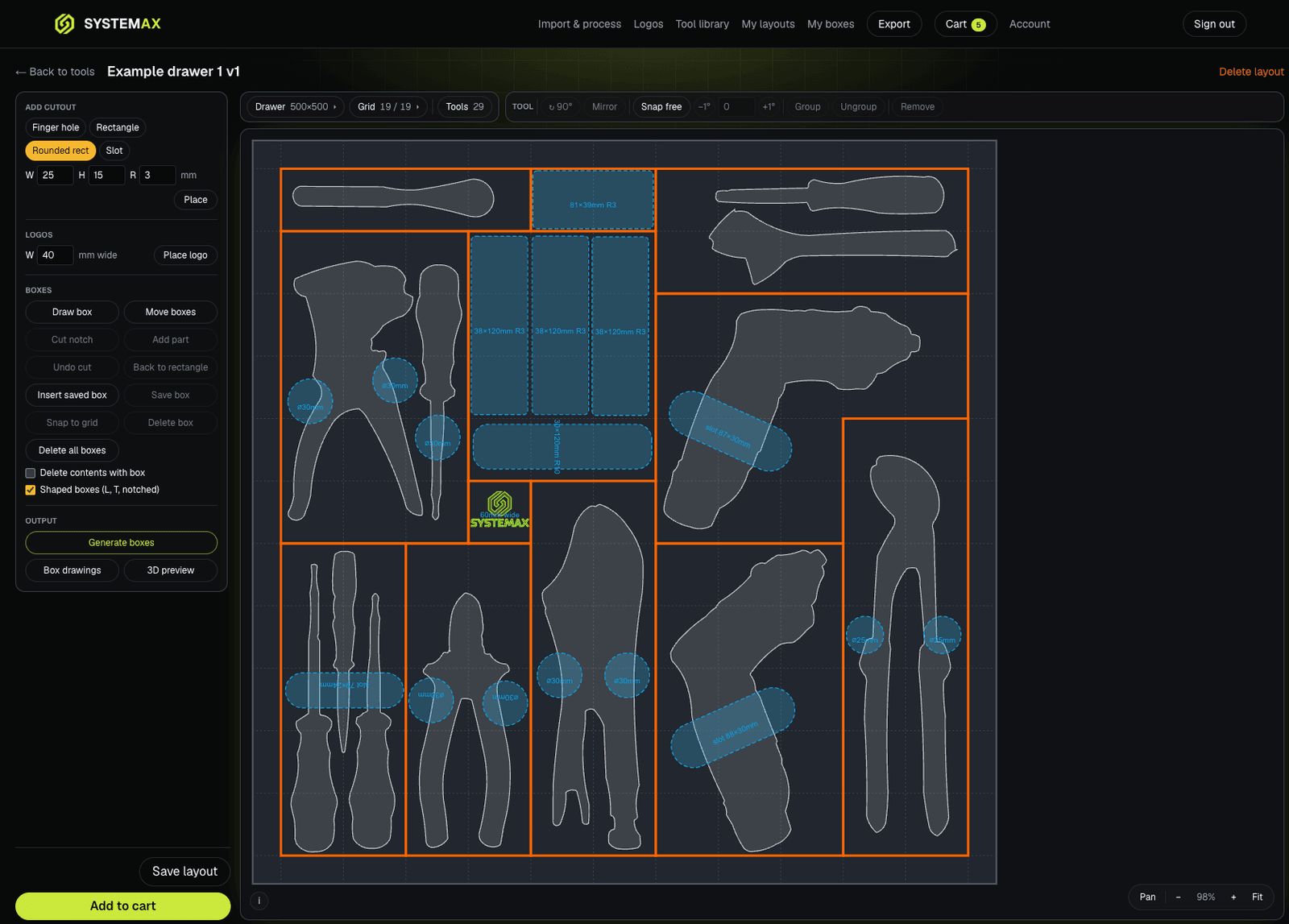
A live 42 mm grid at your drawer's real dimensions. Place the tools first, then draw the boxes around them — the way you would actually think about the drawer.
- Place it exactlyDrag, rotate a degree at a time, mirror, and group tools that belong together.
- Snap or freeLock to the grid when it matters, place freely when it doesn't.
- Shaped boxesL-shaped, T-shaped and notched boxes let one box follow an awkward tool instead of wasting a whole cell on it.
- Cutouts to the millimetreFinger holes, rectangles, rounded rectangles and slots, sized and placed exactly where a hand needs them.
- Your mark on the workDrop a logo into the layout at a set width, wherever there is room for it.
- Straight to outputGenerate the boxes from the layout, open the box drawings, or send the whole drawer to the 3D preview.
Logo relief
Your logo, in relief — region by region
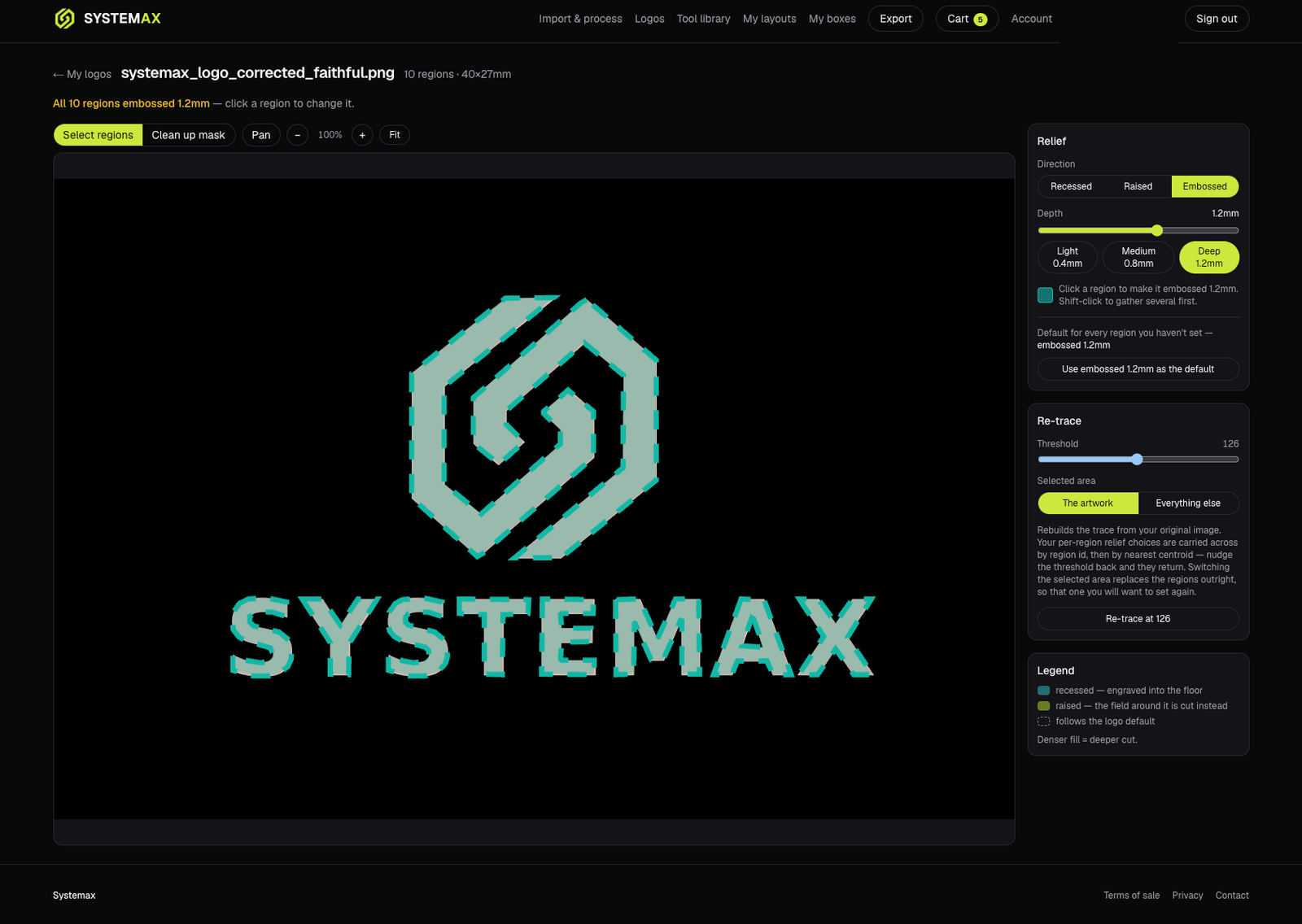
Upload a logo and Systemax traces it into separate regions. Each one gets its own relief direction and depth, so a mark reads properly in the finished box instead of coming out as a flat sticker shape.
- Three directionsRecessed, raised or embossed — chosen per region, not once for the whole logo.
- Depth in millimetresLight, medium and deep presets, or set the exact depth yourself.
- Re-trace without losing workNudge the trace threshold and your per-region choices carry across to the new regions.
- Whose kit is itThe company mark on a shared bay, a technician's initials on their own boxes.
3D preview
See the drawer before you order it
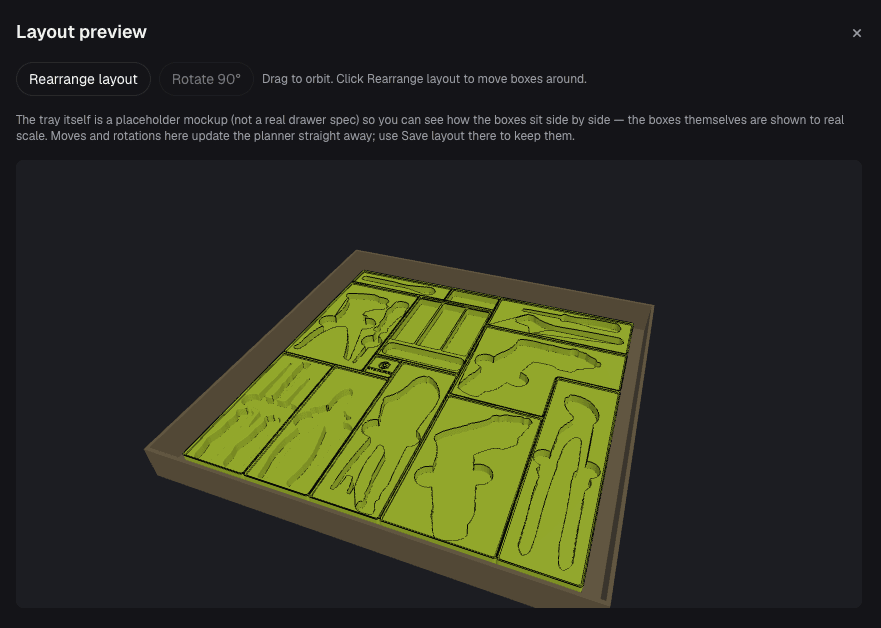
The whole layout in 3D, with every box at true scale next to its neighbours. Orbit it, rearrange it, and the planner follows what you did here.
- True scale, side by sideBoxes are shown at their real size, so a fit that is too tight is obvious.
- Rearrange in 3DMove and rotate boxes in the preview and the layout updates straight away.
- Catch it earlyFind the problem while it is still a drawing, not after the drawer is full.
Saved boxes
Build a standard once, roll it out everywhere
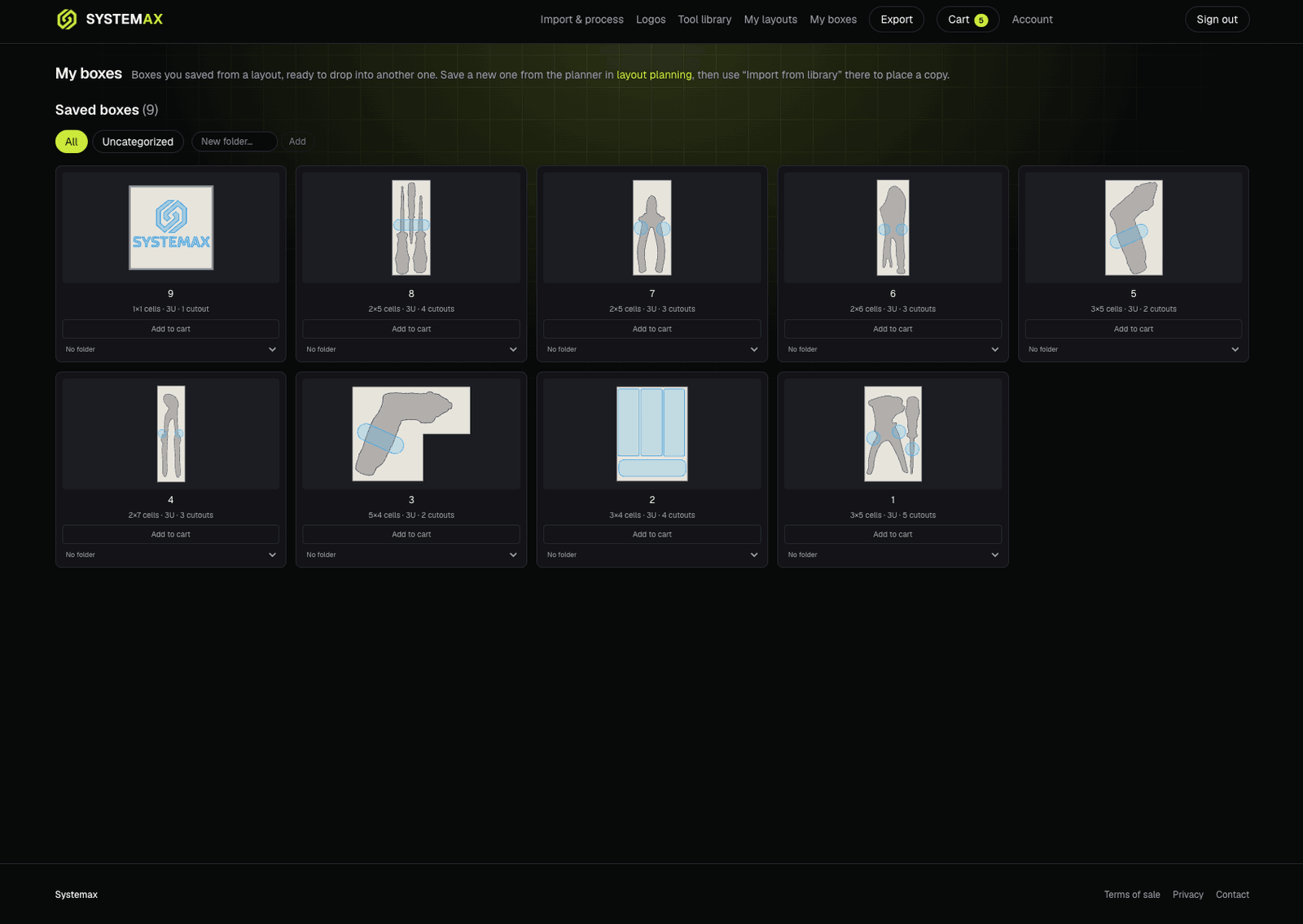
Save any box to your library and drop a copy into the next layout. This is what turns one tidy drawer into a shop standard instead of a one-off.
- Saved intactThe box keeps its tools, cutouts, cell footprint and height.
- Import into any layoutThe same crimping-tool box goes into every van, every bench, every bay.
- Order a single boxOne box on its own, with no layout around it, when that is all you need.
What comes out the other end
The four boxes from the top of this page, pushed together into one drawer. Every pocket in them is a traced outline sunk to depth — a long box of slots, a pocket cut to follow an awkward tool, a shadow-fit box with a mark on it, and a plain divided box for the things that have no shape worth tracing.
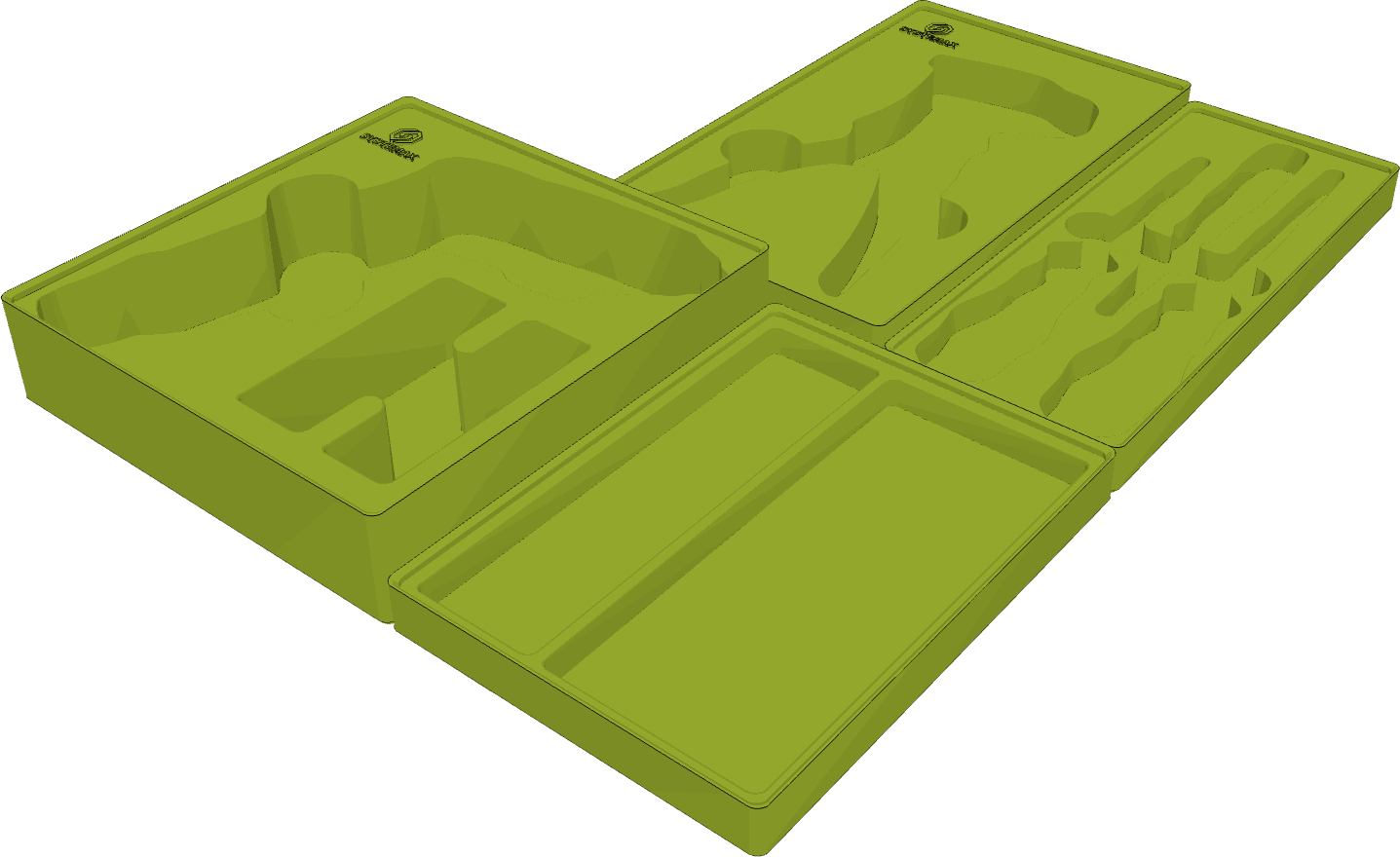
- One box, several toolsA box can run the length of the drawer and carry a slot per tool, instead of one tool per box.2×5 cells · 84 × 210 mm · 3U
- Shadow-fit, and markedTwo tools, two outlines traced from your own photos, and a logo cut into the corner in relief.3×5 cells · 126 × 210 mm · 4U
- The pocket turns a cornerAn awkward tool gets a pocket shaped to it, rather than a rectangle big enough to swallow it.4×4 cells · 168 × 168 mm · 6U
- Not everything needs a shadowPlain divided boxes for fasteners, bits and consumables — same grid, same drawer, same kit.3×4 cells · 126 × 168 mm · 3U
Rendered from the real exports at true scale, so the 4×4 box really is bigger than the 2×5 one. The empty corner is drawer left over, not a box that failed to fit.
Plus plan
Or take the files with you
Most customers simply order and let us handle it. If you would rather produce the boxes in-house, the Plus plan unlocks the files behind every layout.
- DXF2D outlines on named layers, for constraining against in CAD or driving a machine.
- STL and 3MFA watertight mesh, ready to use as-is.
- STEPA real B-rep solid — measurable and editable in any CAD package, not a mesh pretending to be one.
Ordering
What it costs, and how it arrives
The price comes from the layout itself: the grid cells each box occupies, its height, the number of tool cutouts, and any logos. It is on screen before you check out — nothing is estimated after the fact.
Everything in one order ships together as a single consignment and is quoted once, so a five-box order does not pay shipping five times. Pay by card through Stripe, or with Vipps.
Priced from the plan
Cells, height, cutouts and logos — the same numbers you can see in the planner.
One order, one consignment
Boxes travel stacked as a kit and are quoted as one parcel.
Made to your specification
Every insert is built to your own layout, so take a moment with the 3D preview.
Every insert is made to your own specification. Terms of sale.
Start with one drawer.
The one you open twenty times a day. Trace the tools once and they are yours to lay out, reuse and reorder from then on.
Start designing